

Every click on a healthcare ad costs money, and most of those clicks never become patients. A page that leaks at one step wastes the budget twice: once on the click, and again on front-desk time spent calling people the practice can't see.
The median healthcare landing page converts 5.1% of visitors, but a form fill is only the first of several steps between a click and a completed consultation.
This guide gives you a six-lane audit for any healthcare landing page and a practical experiment backlog for prioritizing improvements.
TL;DR: Healthcare Landing Page Audit in Five Answers
- What to audit: six lanes, scored 0 to 2 each: ad-message match, insurance and eligibility clarity, trust, mobile form, booking handoff, and tracking and privacy.
- What to measure: cost per qualified consultation held, because a short form can lift leads while lowering show rate and insurance fit.
- What patients need: a clear offer, relevant eligibility and cost information, credible providers, a simple contact path, and a reliable booking follow-up.
- How to fix it: prioritize page changes by patient impact and effort, then check bookings, attendance, and eligibility before declaring a win.
- What changes by practice type: cash-pay clinics swap the insurance lane for a price-clarity lane; telehealth brands add state coverage.
Health ad restrictions can limit audience targeting. That makes the message on the ad and its landing page especially important for helping patients decide whether a service fits their needs.
What Is a Healthcare Landing Page, and How Is It Different From a Medical Website?
A healthcare landing page is a single-purpose page built for one ad audience and one next step, usually a booked consultation.
A medical website serves everyone: existing patients, referrers, job seekers, and people comparing practices.
A landing page serves one person who just clicked one ad. That difference decides what the page can leave out, and it's why a homepage with global navigation rarely wins paid traffic.
Terms used in this guide:
- Healthcare landing page: the paid-traffic page described above, used for clinics, specialty practices, and telehealth. A "medical landing page" is the same thing.
- Qualified consultation: a held consultation with a patient who meets the practice's service, location, and payment criteria.
- Accepted plans: the insurance plans the practice can bill for that service.
- Booking handoff: everything that happens between form submission and the patient attending the appointment.
How to Audit a Healthcare Landing Page: The Six-Lane Scorecard
Score the page from 0 to 2 across six lanes, then use the results to identify what needs attention. A score of 2 means the lane passes, 1 means partial, and 0 means a clear failure or unresolved risk, even if the patient cannot see it.
Run the audit in five steps:
- Pull the live ad, with its exact headline, offer, and platform.
- Open the page on a mid-range phone on cellular data, starting from the ad.
- Score each lane using the table below.
- Submit a test lead and time every step that follows.
- Use the lowest-scoring lanes to select candidate tests for the backlog in the final section.
Use the table as a reusable scorecard for any medical landing page.
Healthcare Landing Page Example: One Illustrative Page Scored End to End
An illustrative dental implant page scores 5 out of 12. Its insurance and tracking/privacy failures both require attention, but unsafe tracking must be reviewed before further campaign testing.
The page is an illustrative composite and no real practice is named. The ad promises "same-day implant consultation, most insurance accepted."
- Ad-message match, 1: the H1 says "Advanced Dental Care" and never repeats "implant" or "same-day." Backlog item: rewrite the H1 and subhead to mirror the ad.
- Insurance and eligibility, 0: no plan is named anywhere. Backlog item: add accepted-plan logos and a state line in the first screen.
- Trust, 2: a named surgeon with license number, dated reviews beside the CTA, real clinic photos.
- Mobile form, 1: seven fields, including date of birth and a free-text box. Backlog item: use a minimal contact form, then collect visit details through an appropriately protected intake flow.
- Booking handoff, 1: the thank-you page says "we'll be in touch." Backlog item: add a scheduler and a stated callback window.
- Tracking and privacy, 0: an unreviewed advertising pixel loads on a page that collects patient information. Backlog item: review data flows with privacy counsel and remove unsafe tracking before testing.
Privacy risks require immediate review before experimentation. Insurance also scores 0 and is the first conversion issue to address once tracking is cleared. Rank the remaining issues by likely patient impact, confidence, and effort.
Ad-Message Match: Repeat the Promise That Earned the Click
The H1, offer, and first CTA on the page should repeat the ad's condition, service, and next step in the same words.
A generic heading makes the patient work harder to confirm that the page offers the service promised in the ad.
Match the Condition and Intent Words
Copy the ad's condition term into the H1 and the first line of the subhead. For search ads, use the query the ad was bought on. For social ads, repeat the hook the creator or the ad opened with.
Match the Offer and Next Step
A "free consultation" ad should land on a booking block that matches the offer. Use one CTA label, such as "Book your free consultation," in the ad, the hero, and the sticky mobile bar.
Health Ad Policy Limits and What They Mean for the Page
Health ad policies limit what ads can say and who they can target, so the page often has to carry the specificity the ad can't. Google lists health as a sensitive interest category and allows predefined audiences but not advertiser-curated ones for it. Meta's ad standards say ads must not assert or imply personal attributes, including physical or mental health and medical conditions.
Meta also removed Detailed Targeting options tied to health topics in January 2022. For a deeper look at auditing live ads and landing pages in a restricted category, see our compliant GLP-1 marketing guide.
Insurance and Eligibility on a Healthcare Landing Page: Answer "Will This Be Covered?" Before the Form
Show accepted plans and the cost path in the first screen, because insurance acceptance is among the factors patients weigh most when choosing a provider.
In a peer-reviewed study of how consumers choose providers, participants most often named medical license, certification, and insurance acceptance as important, while online reviews ranked among the least important. A vendor survey of 545 people found the same pattern, with insurance acceptance averaging 4.60 out of 5 in importance. That survey calls its own subgroup results directional, so treat it as supporting evidence only.
Show Accepted Plans in the First Screen
Use plan logos or a searchable list, plus the states or locations covered. If the list is long, show the five most common plans and a "check your plan" link.
Keep Early Qualification Limited and Privacy-Safe
State accepted plans and service areas on the page. Keep initial contact requests minimal, and route insurance details, visit reasons, and medical history through an appropriately secured intake process. Even basic contact details can be sensitive when combined with appointment context.
State the Cost Path for Self-Pay and Out-of-Network Patients
Give a visit price range, a superbill note, or a financing line. A patient who can't find the price assumes the worst and leaves. Cost-comparison and plan-selection tools are one way to answer it, and our health insurance marketing guide lists examples.
What Trust Signals Does a Medical Landing Page Need?
Put the provider's verifiable credentials, recent third-party reviews, and a visible privacy statement within the first two scrolls.
Reviews matter at the research stage: 97% of consumers read reviews for local businesses, according to BrightLocal's 2026 survey of 1,002 US adults. For a clinical decision, credentials carry more weight, as the provider-choice study above found. The page should lead with both.
- Named provider: full name, license, board certification, and a link to the state license lookup.
- Dated reviews: from a third-party platform, shown beside the CTA.
- Real photos: the actual clinic or the actual telehealth interface.
- Privacy line: one sentence next to the form on how the information is used.
- Honest claims: no guaranteed outcomes and no cure language.
Cut before-and-after images that can't be substantiated, "cure" claims, and stock smiles.
What Should a Medical Landing Page Form Ask?
Start with the few contact fields the practice genuinely needs, such as name and a preferred contact method. Collect visit reason, insurance details, date of birth, and medical information only through an appropriately protected workflow. Review the form and its vendors with privacy counsel before connecting advertising measurement.
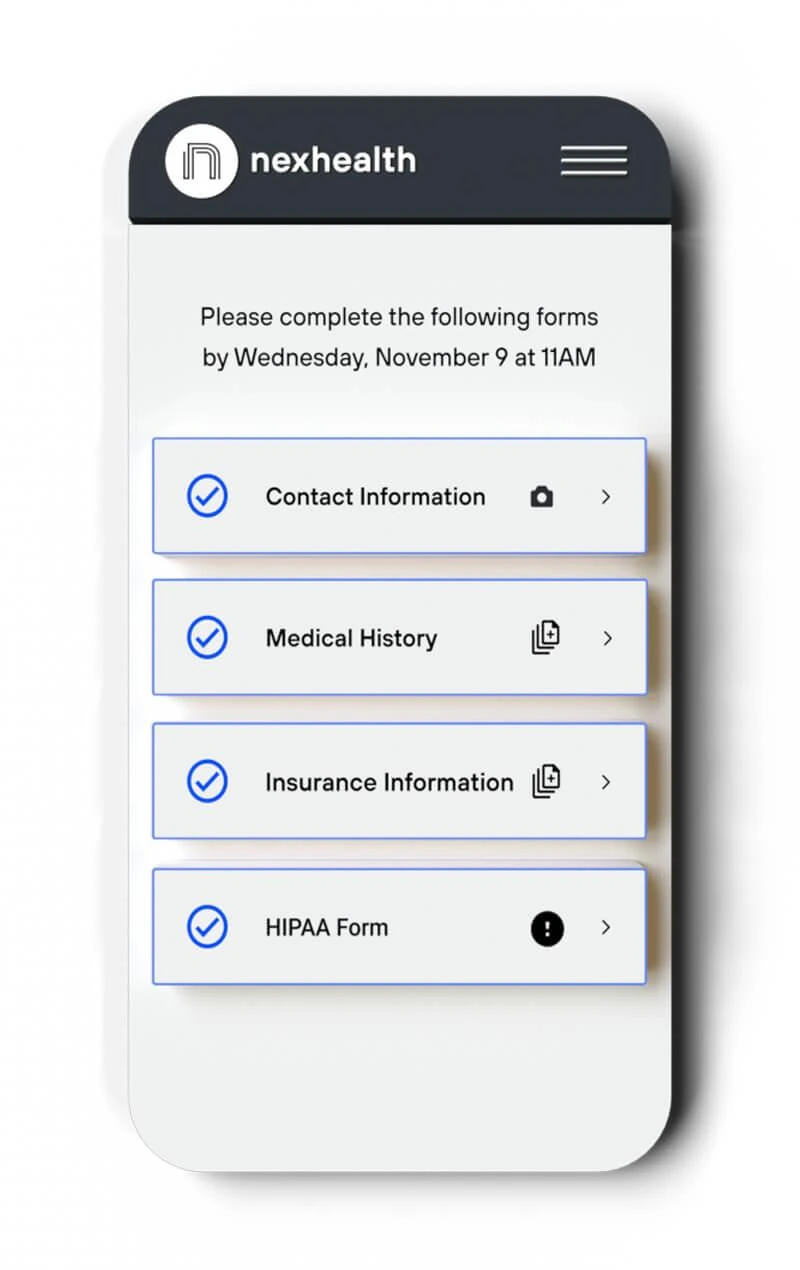
Mobile is where speed and friction show up first. Google found that as a mobile page's load time goes from one second to ten, the probability of a bounce rises 123%. That research dates from 2018, so treat it as foundational and test your own pages.
Unbounce's 2024 data shows desktop converting 22% better than mobile in health.
Build the form in six steps:
- Set a minimal field budget based on the actual first-contact workflow.
- Show services and accepted plans on the page; collect individual visit and plan details through secure intake where needed.
- Move clinical history, date of birth, and member ID to secure intake.
- Use 44px minimum tap targets and a sticky CTA.
- Place click-to-call beside the form.
- Re-test on the phone from audit step 2 after every form change.
Field count isn't the whole story. HubSpot's analysis of 40,000 landing pages found that conversion generally falls as fields increase. Test friction against booking quality, while treating privacy safeguards as requirements rather than conversion variables.
Pro tip: submit your own form on cellular data and watch the autofill. If the phone keyboard doesn't switch to a numeric pad for the phone field, you've found a quick fix.
Booking Handoff After the Form: From Submission to Attended Visit
A qualified lead needs a confirmed slot or a live call within minutes, and the page, the thank-you screen, and the front desk each own one step.
Speed matters even in older, non-healthcare data. A 2007 MIT and InsideSales study of 15,000 web leads found that the odds of reaching a lead fall 100 times when the first call lands at 30 minutes, compared with five, and the odds of qualifying it fall 21 times. That was a vendor-run B2B study, so read it as a directional signal about response time only.
Offer both online scheduling and a clear phone or callback path where staffing allows. Patient preferences vary by service and practice, so measure which channel leads to confirmed, attended appointments rather than assuming everyone wants to book online.
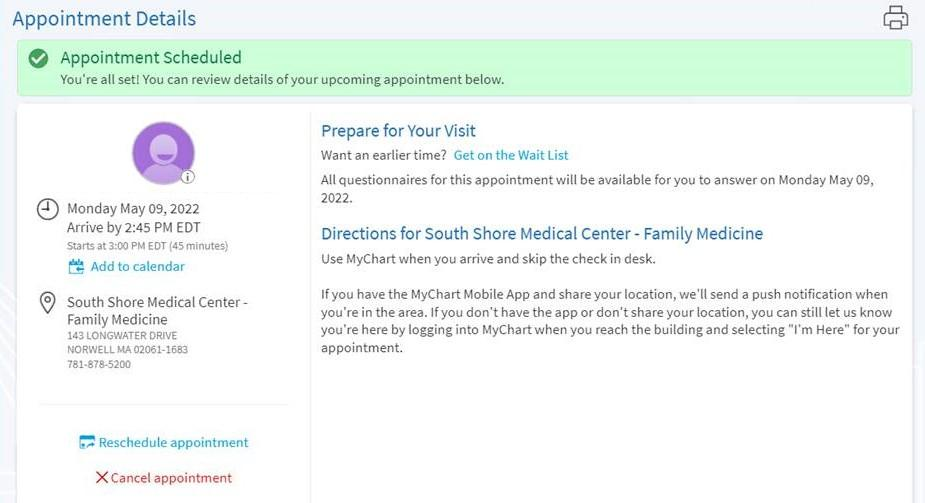
Build the handoff in six steps:
- Show a thank-you page that confirms the next step and the expected contact time.
- Offer an embedded scheduler or a callback request with real slots.
- Send approved appointment confirmations through appropriate channels, with required consent and minimal sensitive information.
- Have the front desk call within the committed window.
- Log the missed-call and voicemail path so no lead disappears.
- Send reminders, because the average appointment no-show rate is about 23% across studies in a systematic review of 105 papers.
Count phone and form leads using privacy-reviewed measurement. Avoid transmitting visit reasons, health details, or identifiable appointment information through ad tags, recording tools, or campaign parameters.
Tracking and Privacy: What to Review Before Scaling Spend
Review pixels, tags, call-tracking services, recordings, and forms with privacy counsel before launch. Legal obligations depend on the practice, the data collected, the vendor, and where that data is sent.
This section is an audit checklist and gives no legal advice. The facts below set the context.
- HHS OCR's tracking guidance was partly vacated on June 20, 2024. The HHS page says the court vacated the guidance where it treated an IP address plus a visit to an unauthenticated health page as triggering HIPAA, and HHS later withdrew its appeal.
- The same page still says tracking on authenticated pages generally involves protected health information, and that unauthenticated pages are covered when they collect appointment-scheduling or symptom-checker inputs.
- The FTC has acted separately. It fined GoodRx $1.5 million for sharing health data with ad platforms, and it ordered BetterHelp to pay $7.8 million to consumers.
- Meta's business terms say advertisers must not share health information, such as conditions, procedures, or prescriptions, through the Meta pixel or custom audiences.
Then run this review:
- Inventory every tag and script on the page, including the form tool and call tracker.
- Remove ad pixels from steps that collect appointment or symptom details.
- Keep conversion events free of condition, procedure, and prescription fields, and keep condition names out of URLs.
- For HIPAA-covered workflows, confirm that vendors acting as business associates have appropriate agreements and safeguards before they handle protected health information.
- Don't treat a cookie banner as authorization. The HHS page says a banner does not count as one.
Measure the Cost of Qualified Consultations
Judge a page by cost per qualified consultation held, because that is the number that shows whether leads became patients.
Cost per qualified consultation held equals ad spend divided by qualified consultations that actually took place. Track two ratios weekly: lead to booked, and booked to showed.
Public benchmarks stop earlier than that. Unbounce's 2024 medians put medical treatment at 5.3%, dental at 4.3%, and wellness at 8.2%.
Here is why form conversion rate misleads. The numbers below are illustrative, using $10,000 of spend per page.
Page A wins on cost per lead and loses on the number that pays the bills. When a page change lifts lead volume, check booked, showed, and qualified before keeping it. For higher-traffic pages, a randomized A/B test can help isolate the effect of a page change; for low-traffic practices, interpret directional results cautiously and monitor downstream outcomes.
Prioritize Healthcare Landing Page Experiments
Use the experiment backlog to select promising changes, while resolving privacy or compliance risks before conversion testing. Keep an eye on booked, attended, and qualified consultations.
How to Prioritize the Backlog
Resolve privacy and compliance failures before conversion testing. For the other ideas, compare their likely effect on qualified consultations, the evidence behind them, and the effort required. The backlog gives you possible tests and guardrail metrics; choose based on your practice's data. Observe full weekday and weekend cycles where possible, but judge results using adequate traffic and downstream appointment data rather than a fixed deadline.
Add a guardrail metric to every test. A form change that raises leads and drops show rate is a loss, so each row below names the metric that can veto the win. Our creative testing guide covers the setup practices behind this.
Experiment Backlog: Ten Tests to Consider
How to Evaluate Changes When Traffic Is Low
Most clinics don't have the traffic for clean A/B tests, so test bigger changes and use more than one method. A standard sample-size calculation puts a 20% relative lift on a 5% baseline at roughly 8,000 visitors per variant, which is out of reach at 200 clicks a week.
- Bigger swings: test one large change, such as the whole hero block, since a button color rarely moves anything.
- Pre and post with guardrails: compare equal periods, and log any ad or seasonal changes.
- Qualitative review: use privacy-approved, consented and appropriately de-identified feedback or call observations to identify recurring objections; avoid recording or replaying sensitive patient information in analytics tools.
- Sequential rollouts: change one location or service line first, then expand.
Give Patients a Reason to Take the Next Step
Healthcare decisions come with questions that a polished headline alone can't answer. Patients need enough information to feel confident contacting a practice, followed by an experience that respects their time.
When those expectations carry through from the ad to the appointment, campaigns have a better chance of reaching the right patients.
If your landing pages leave room for improvement, inBeat can help turn patient interest into actual appointments.
FAQs
Can a page keep Meta pixel events if the form only collects a name and a phone number?
Check with privacy counsel, because the answer depends on what the page and the event reveal. Meta's terms bar sharing health information such as conditions or procedures through the pixel, and the HHS page says appointment-scheduling inputs on unauthenticated pages can be covered. Keep event names and URLs free of condition terms either way.
Should a high-acuity specialty offer a scheduler, a callback request, or both?
Test both, and offer a callback for complex or high-acuity cases where the patient has questions before booking. A scheduler suits routine visits with open slots. Measure booked-to-showed on each path, because a faster booking that's missed isn't a win.
What changes in the scorecard for a cash-pay clinic?
Swap the insurance lane for a price-clarity lane: a visit price range, what's included, and a financing option. Trust and booking handoff carry more weight because the patient is committing their own money.