
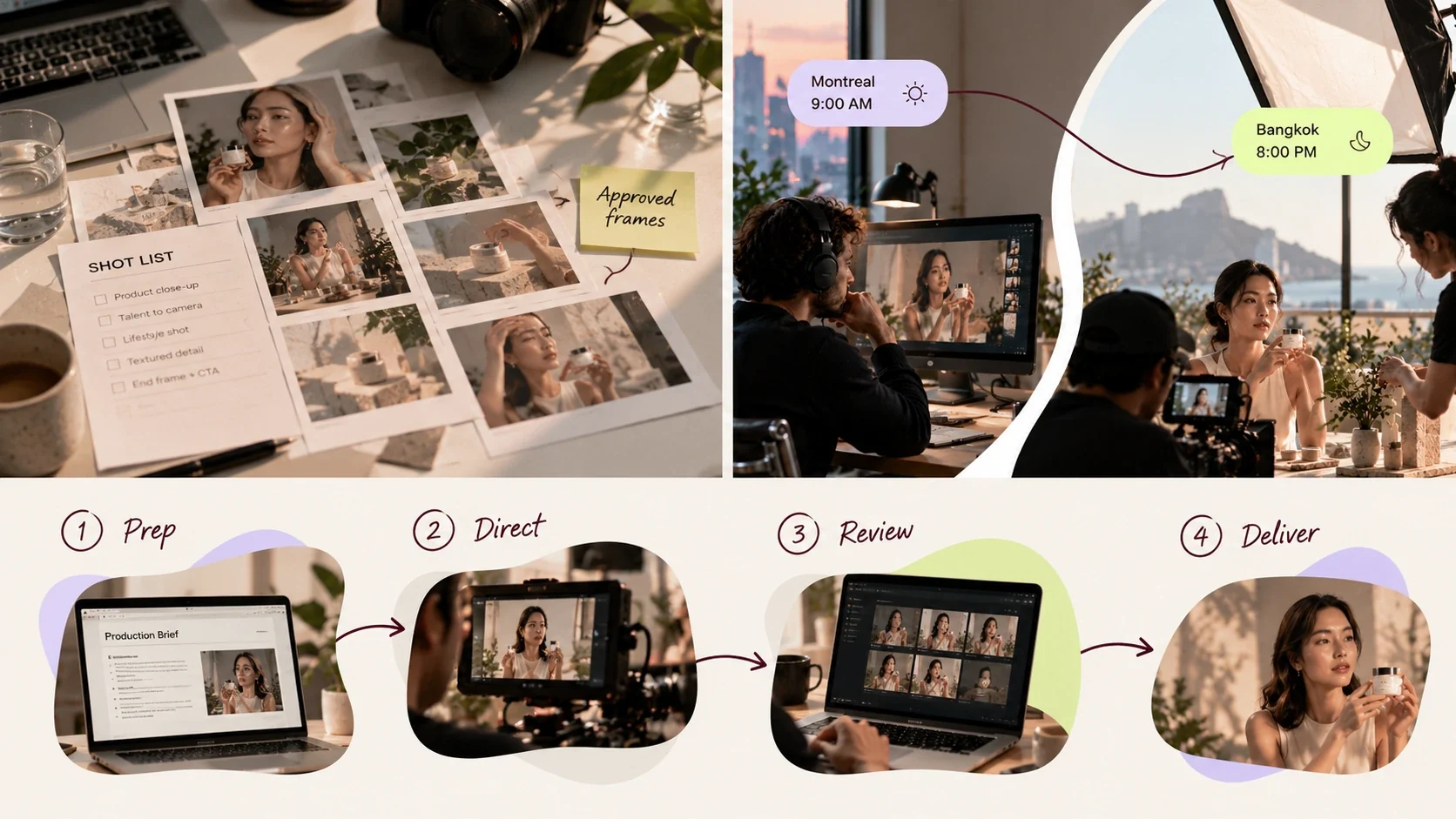
Imagine approving a hero shot from Montreal while your crew films in Bangkok. Everything looks perfect on the live feed. Hours later, the original footage reveals a focus problem, but the lights are packed and the talent has left. Suddenly, the money saved on travel is going toward an overseas reshoot.
The stakes are higher when video budgets are already stretched. According to Wistia's 2026 State of Video Report, 46% of companies plan to keep their video budgets unchanged even as demand for content rises. Remote video production can free up resources for more creative variations, but the real challenge is maintaining control when your team is thousands of miles away.
This guide shows how to direct overseas shoots with the right local crew, clear approval criteria, and a review process that catches costly mistakes before the set comes down.
TL;DR: How to Direct an Overseas Ad Shoot Remotely
For those in a hurry, here's what it takes to run an overseas ad shoot without sending your creative team abroad.
- Choose the right production format. Single-camera product demos, testimonials, and UGC-style ads are strong candidates for remote direction. Complex setups may require someone on-site.
- Vet your local crew before committing. Review comparable work, test the connection, and approve paid test footage before the full shoot.
- Make your brief executable. Include shot references, product-handling instructions, approved claims, acceptance criteria, and clear reshoot triggers.
- Separate directing from quality control. Use a live feed for framing and performance, then review recorded footage for focus, exposure, color, and audio.
- Plan around time zones and technical failures. Schedule critical shots during overlapping hours, delegate routine coverage, and establish backup connections.
- Calculate the actual savings. Compare avoided travel costs against additional equipment, connectivity, shipping, and crew expenses. Reserve time to review key footage before the set is dismantled.
What Remote Video Production Means for an Overseas Ad Shoot
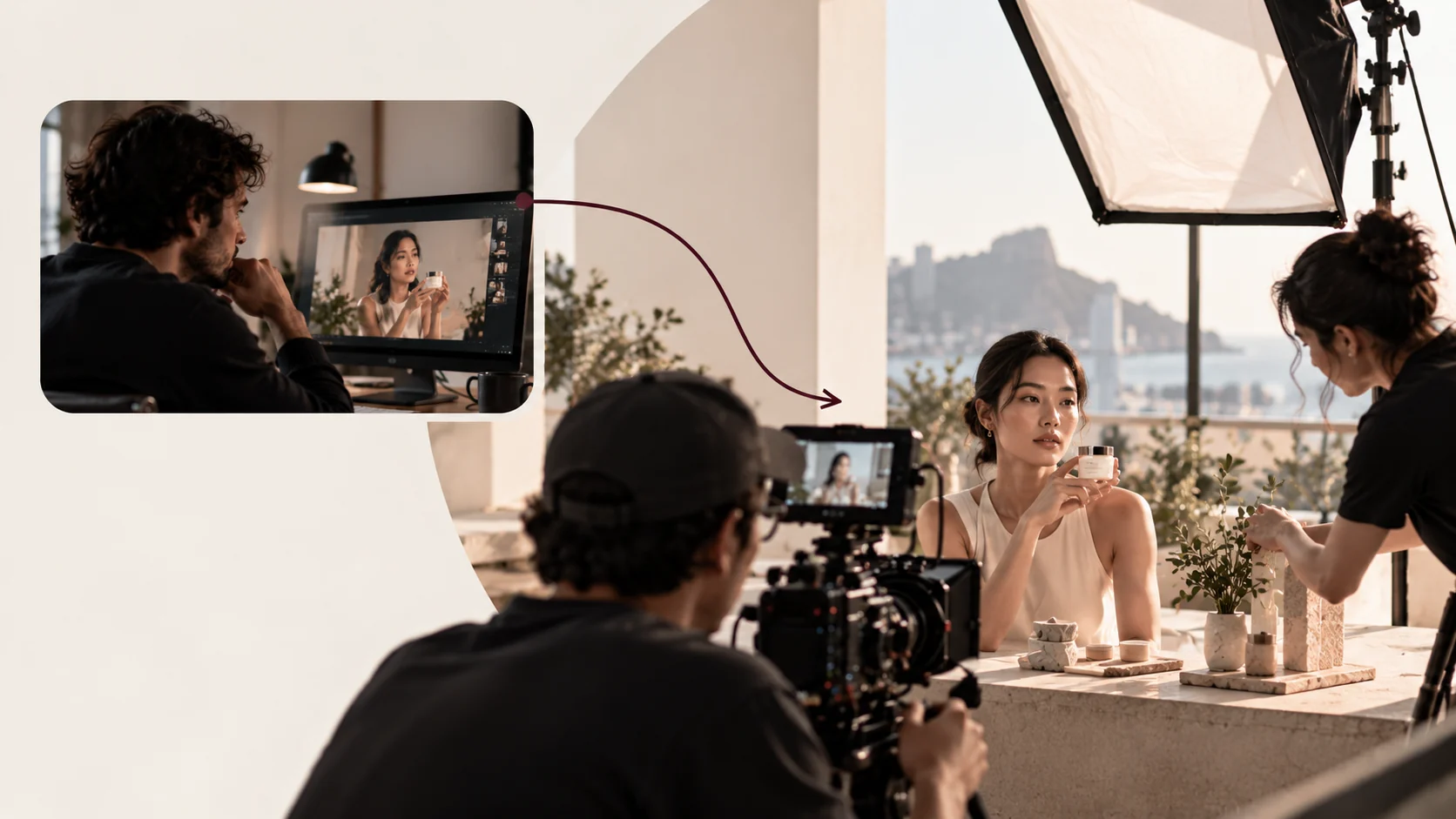
Remote video production for an ad shoot means three roles working from different places:
- Local crew: on set with the camera, lights and talent. The crew owns execution.
- Director: a brand or creative director watching a live feed and giving notes from another country. You own the creative call.
- Post-production: editors who may sit anywhere. A shared folder owns the footage.
Production houses such as BLARE Media describe staying on a video call with the client for the entire shoot. A call during your live window is the baseline for the director's role too. It is nowhere near the full method, because a call tells you what the crew is doing and nothing about whether what they captured will pass review.
Which Parts of Production Already Run Remotely
Post has already made the move. A thread on the r/Filmmakers subreddit from January 2024 describes nearly every post role, from assistant editor to post coordinator, as doable fully remotely, and freelance marketplaces such as Upwork list video production work on the same terms. Treat that as practitioner testimony; we haven't seen a neutral survey counting how much commercial production now runs this way.
Pre-production travels well too, because briefs, casting tapes and location scouts move as files.
The shoot day is the only piece that still needs a dedicated protocol, which is why the rest of this guide spends most of its words there. Whether remote direction saves money depends on your own baseline; the cost section shows how to build one.
What Kinds of Ad Shoots Suit Remote Direction?
| Direct remotely | Fly, or send one producer |
|---|---|
| Product demos | Multi-camera setups, unless you already trust the DP from a previous job and can afford extra rehearsal |
| Talent-to-camera delivery | Choreographed movement |
| Testimonial-style pieces | Practical effects |
| The UGC video formats paid social teams test in volume | Heavy VFX plates |
The test: if you could describe the correct frame in writing and recognize it on a laptop screen, direct it remotely.
How to Prepare a Remote Ad Shoot: Brief, Test Footage and Product Prep
Settle three things before the shoot day: a written brief with acceptance criteria, approved test footage, and a product shipment staged against reference stills. A friendly kickoff call reassures everyone and settles nothing that will matter at a 6 a.m. call time. Remote ad production front-loads the work: everything you would normally correct by walking over to the monitor has to be settled before the shoot day exists.
| When | What gets done |
|---|---|
| A week out | Test the feed on the location's actual connection, at the hour you'll be shooting |
| Two or three days out | Review the crew's test footage as a file |
| Before the product ships | Photograph reference stills and build in customs lead time |
Write a Brief the Local Crew Can Execute Without You
Write the brief as if you will be unreachable for the entire shoot, then build the live oversight on top. For a crew that has never met you it needs, at minimum:
- Persona and hook: the persona the ad targets and the single problem the hook answers, in one sentence each, so the DP and talent know why a shot exists.
- Must-have shots: a numbered list with a frame reference image for each, including aspect ratio and safe zones for captions.
- Product handling rules: which hand, label orientation, which variant appears in which shot, what may never be on screen next to it.
- Legal and claim framing: any disclaimer card in frame or a demonstration staying inside the approved claim.
- Acceptance criteria: the checklist the footage will be judged against, attached so the crew sees the exam before they take it.
The last item does the most work. When the crew knows a hook take fails if the product isn't legible by second two, they frame for it without being asked. The same logic runs creative production at scale: the document does the directing when you can't.

Order Test Footage Before the Shoot Day
Ask the crew to film the hero setup on the actual location, with the planned lighting, the real product and a stand-in on the mark, then upload it for asynchronous review. A thirty-second clip is enough. You are checking:
- Color temperature
- Background clutter
- Lens choice
- How the product reads at the planned distance
- Whether the room sounds usable
Reviewing this as a file, on your own schedule, catches problems a live call surfaces too late; by the time you notice a mixed-light cast on the feed, talent is already in makeup and the hour is already billed.
Example (hypothetical): the brand ships two labeled units, the crew uploads a test of the vanity setup under the window light the brief asked for, and the brand's creative lead spots that the natural light is pushing the cream toward blue.
The crew gels the window the next morning, a day before talent arrives. Without the test round, a small drift becomes a grading job, and a mixed-light cast becomes a correction on the clock or in the grade that costs more and rarely matches.
Ship and Stage the Product with Reference Stills
- Ship duplicates of every unit.
- Label each variant on the base where the camera can't see it.
- Photograph pack shots in your own studio before anything leaves the building. Those stills go in the brief as the color and finish reference the crew matches on set, and they protect you if customs delays or damages the shipment.
- Build customs lead time into the schedule as a hard dependency.
- Name in the production agreement who owns the units after wrap, because leftover product abroad becomes a gray-market problem nobody budgets for.
How Do You Find and Vet a Local Crew for an Overseas Shoot?
Choose a local crew on evidence: comparable ad work on a reel, a producer you can talk to, a passed connection test and a paid test round. Check these before you sign:
- Comparable work: a reel of ads in the format you need, with the shot types from your brief.
- A producer or AD you can talk to: someone fluent in your language who can act as the on-set delegate.
- A passed connection test: the location and the crew's kit hold a feed at the hour you'll be shooting.
- Paperwork: insurance, talent and location releases, and a production agreement that covers footage ownership, reshoot triggers and delivery of full cards.
- A paid test round: treat the test footage as its own paid deliverable, and commit to the full shoot only after you approve it.
What Tools Do You Need to Direct a Shoot Remotely?
You need three tools doing three jobs: a camera feed for seeing, a communication channel for talking, and cloud review for judging the real files. The feed is good enough for framing and performance; final focus, exposure and color need the original files. One video call cannot do all three jobs, so keep the three apart.
Live Camera Feed and Remote Directing Platforms
- Use it for: seeing the camera's output, or a clean monitor output, on your screen with low enough latency to call cuts.
- Examples: LocalEyes names Teradek Core and OpenReel as platforms directors use to oversee shots remotely, and the two work differently: Teradek Core manages hardware encoders on the camera side, while OpenReel is a cloud app for remote capture.
- Test it: vendor descriptions of these tools are thin on measured performance, so don't take a product page's latency figure on trust. Run the test from the preparation timeline on the location's actual connection and measure the delay yourself.
Communication Layer for Talkback and Notes
- The call: a persistent video call, typically Zoom or Google Meet, carries your voice to the floor and lets you see faces when the feed shows only the frame.
- The channel: a messaging channel such as Slack or Teams carries written notes, take numbers and approvals so the decision log survives the day.
Keep the roles separate: talk on the call, record on the channel.
Cloud Review and Shared Storage for Same-Day Footage
The review layer is a shared drive or review tool where the crew uploads selects as proxies during the day and full-resolution cards after wrap.
A proxy is a lighter review copy of the recorded file, separate from the live stream. Agree on its resolution and compression level before the shoot so it supports meaningful remote review. However, compressed footage can hide subtle focus problems and distort color.
Before a critical setup is dismantled, have the on-set DP inspect the camera originals at full resolution for focus, exposure, and obvious color issues. Log that technical check alongside your remote approval, then confirm final quality once the original files arrive.
| Layer | Example tools | What you can judge from it | What it cannot show | Fallback |
|---|---|---|---|---|
| Camera feed | Teradek Core, OpenReel | Framing, blocking, performance, product placement, timing | Critical focus, fine exposure, true color, noise | Lower-bitrate stream, then the cellular connection, then a phone camera pointed at the monitor |
| Communication | Zoom or Google Meet for talkback; Slack or Teams for notes | Crew understanding, talent energy, decisions and their timestamps | Anything about the image itself | Voice call on cellular, messaging as the record |
| Cloud review | Shared drive or review platform with proxies and originals | Focus, exposure, color, audio, whether a take truly passes | Nothing live; it lags the shoot by minutes to hours | Crew checks playback on the camera monitor and reads the take number back; you review the proxy later |
Tool examples in the camera-feed row follow the platforms LocalEyes lists; the other rows reflect how we'd structure the stack, and the limits column is where to focus your pre-shoot test.
The McCormick Brothers and Ben Rector: Camera to Cloud. Source: Frame.io on YouTube
Why this video is useful: This behind-the-scenes look at The Outbound Life's Nashville production shows how camera-to-cloud uploads gave an off-site editor access to footage during filming. It illustrates the review workflow that lets remote teams identify issues and share feedback before the shoot ends.
How to Manage Time Zones on a Remote Shoot
Split each remote shoot day into two windows: a live window for shots requiring your direct supervision, and an asynchronous window for pre-approved coverage. During the second window, the local delegate oversees filming, approves routine takes against the brief, and logs decisions for your later review.
This keeps critical creative decisions within the hours both teams can reasonably share, without requiring the director to stay connected throughout the entire shoot.
| Window | Who is live | What gets shot | Where decisions go |
|---|---|---|---|
| Live | Director on the feed and the call | Hook shot, talent lines, product-handling takes | Messaging channel, with take numbers |
| Asynchronous | Delegate on set; director offline | Pre-approved coverage such as pack shots and B-roll | Delegate logs approvals in the messaging channel; proxies uploaded for review |
Set a Live Window and an Asynchronous Window
Start from the overlap the time difference actually allows and schedule backward. Hypothetical schedules for a Montreal director:
| Crew city | Gap from Montreal | Director's live window | Crew's local time |
|---|---|---|---|
| Lisbon | 5 hours | 06:00 to 10:00 | 11:00 to 15:00 (a workable live window for both sides); pack shots and B-roll from 15:00 onward, selects uploaded by wrap |
| Bangkok | 11 hours in summer | 20:00 to 23:00 | 07:00 to 10:00 the next morning (talent work should sit here) |
In the Lisbon example, the director can review uploaded selects during the afternoon in Montreal, provided the crew follows the agreed upload schedule.
Check the gap on the actual shoot date: US and European clocks change on different weekends, so the gap can be an hour off for a few weeks each spring and autumn.
Decide Who Holds Approval Authority Outside the Live Window
Name one on-set delegate, usually the local producer, and give them written authority in the production agreement.
- The delegate may approve: shots on the pre-agreed asynchronous list (pack shots, inserts, B-roll and reframes of already approved setups) that pass the acceptance checklist.
- Director-only: anything with talent performance, any shot carrying a product claim, any setup not in the brief. These wait for the live window or a next-day pickup.
Post decisions in the messaging channel as they happen so the overnight record is logged and timestamped; a verbal okay on the floor doesn't exist as far as the edit is concerned.
Stagger the Shot List So Hero Shots Land in the Overlap
Order the call sheet so the hook shot, talent line deliveries and product-handling takes fall inside the live window, ideally early in it, while the connection and the talent are freshest, and schedule the last hero setup so its proxy check and the wrap hold described in the next section also end inside the window.
Push pack shots, inserts, room tone and B-roll to the asynchronous window, where the delegate's checklist covers them. If the overlap is too short to hold every hero take, split them across two days and accept the extra day.
Remote Shoot Day Checklist: Pre-Roll, Directing and Wrap
A remotely directed shoot day runs in three passes: pre-roll checks before the first take, a direct-and-approve loop for every setup, and a proxy-checked wrap before anything is struck. Run the sequence as written once, then adjust it where it strains. The protocol assumes the call from the definition section and adds what you check, in what order, and where each decision is logged.
Pre-Roll Checks Before the First Take
Work through these before the first slate, and don't let schedule pressure skip any of them:
- Feed check: confirm you can see the camera output, read the slate text and judge framing on your screen. If the picture is soft or stuttering, drop the bitrate before the first take, because a take you can't evaluate is wasted.
- Talkback check: confirm the floor can hear you on the call and that one person, usually the first AD or producer, relays your notes to talent. You speak to one voice on set, never to the whole room.
- Slate convention: agree the take-numbering format and have the crew say the setup and take number aloud on every slate, so proxies and notes match later.
- Reference stills on screen: have the crew show the brief's frame reference next to the live frame for each setup before rehearsal, and sign off the match in the channel.
- Delegate confirmation: ask the delegate to confirm they have the acceptance checklist open and know which shots are theirs to approve.
- Upload path check: have the crew send one proxy clip to the shared folder and confirm you can open it, before any real footage exists.
Directing Each Setup over the Live Feed
Treat every setup as its own loop with a written exit:
- Rehearse on the feed. Watch a full rehearsal before rolling. Rehearsal is where you fix blocking, eyeline and product orientation; fixing them on take four wastes the crew's day.
- One channel for notes. Give notes on the call for anything talent needs now, and in the messaging channel for anything that must be remembered. Mixed channels lose notes.
- Call takes by number and keep your own log: setup, take, one-line note, and whether it's a candidate.
- Ask for playback. After the take you think is the select, ask for immediate playback over the feed. Playback shows you the recorded frame, which can differ from what the operator saw in the viewfinder.
- Judge only what the feed can show: framing, performance, timing, product placement and whether the hook lands by the agreed second. Leave critical focus and exposure checks to the on-set DP reviewing the camera originals, while using proxies for preliminary remote review.
- Log the approval in the channel with the take number and the words "approved pending proxy." The crew moves on; the delegate keeps the card.
- Request the proxy of the approved take within the hour where bandwidth allows, so the technical check happens while the setup can still be rebuilt.
If the proxy reveals an issue or the DP identifies a technical failure, call it before the next setup finishes. A pickup gets more expensive once the lights move.
End-of-Day Wrap and Upload Sequence
The wrap sequence protects you from the most expensive remote failure, which is discovering a problem after the set is struck:
- The crew uploads proxies of every approved take and the delegate's approved asynchronous shots, in a folder named by setup.
- Inside your live window, review the proxies of approved hero takes against the creative and claim criteria, prioritizing hooks and product demonstrations. The DP checks critical focus, exposure, and other technical requirements on the camera originals before the setup is struck. For asynchronous coverage, the delegate and DP complete these checks on-site, while you review the proxies in your next available window.
- You confirm receipt and your spot-check result in the channel. Silence isn't approval.
- Only then does the crew strike each setup: after your creative approval (or the delegate's for pre-approved asynchronous shots) and the DP's technical clearance. Full-resolution files are uploaded or shipped afterward, with final acceptance subject to reviewing the delivered originals.
Build in a hold. Write a 45-minute hold into the call sheet between upload and strike, with the hero setup left standing.
If the hold goes unused, you lose 45 minutes of crew time. If the proxy shows a soft hook take, you can fix it before the set is struck and avoid a reshoot.
One caveat: this sequence assumes the location's connection passed the latency test from the tools section. If the feed fails on the day, switch to the fallback ladder in the backup section; it replaces the feed-based steps (feed check, reference stills on screen, rehearsal and playback over the feed) and the rest still holds.
When Should You Approve a Shot and When Should You Reshoot?
Approve a shot only when it passes criteria written before the shoot, and reshoot only for the failures the list names as reshoot triggers. The acceptance process is where remote ad production either earns its savings or hands them back as a second trip.
Write Acceptance Criteria per Shot Type
Each shot type in an ad needs its own pass conditions, because a B-roll clip and a hook shot fail for different reasons:
- Hook shot: problem or promise stated and product legible by the agreed second. For how long that second should be, see the UGC video length benchmarks.
- Product demonstration: correct variant, action completed on camera, result visible, no competing product in frame.
- Talent line delivery: approved script or approved paraphrase, any required claim wording intact, eyeline per brief.
- Pack shot: label orientation and finish matching the reference stills, no reflections hiding the name.
- B-roll: matches the storyboard's purpose and duration, usable without a cutaway.
Send this list with the brief (last item of the brief checklist) so both sides work from the same definition of done.
Score Footage Against the Written Criteria
Use a table like the one below so that whoever reviews, whether you on the proxy or the delegate on the floor, makes the same call.
| Criterion | Checked via | Pass threshold | Owner | If it fails |
|---|---|---|---|---|
| Hook lands by the agreed second | Live feed, confirmed on proxy | Product legible and premise stated by the agreed second | Director | Reshoot same setup |
| Correct product variant on screen | Live feed against reference still | Variant, label and orientation match the brief | Delegate | Reshoot; cannot fix in post |
| Required claim framing present | Proxy | Disclaimer or demonstration stays inside approved claim | Director with legal | Reshoot or drop the take |
| Critical focus and exposure | On-set original playback; proxy for remote review | Sharp on the product or eyes at 100% resolution on the original, no clipped highlights on the product | Director or DP | Reshoot if unrecoverable; otherwise grade |
| Color and white balance | Original file; proxy for preliminary review | Within normal grading range of the reference | Director | Fix in post |
| Audio clarity | Proxy | Dialog intelligible without heavy processing | Delegate | Fix in post; reshoot if unintelligible |
| Framing and safe zones | Live feed | Caption and UI zones clear per the aspect ratio spec | Delegate | Reframe and retake while setup stands |
The thresholds above are the structure we'd use; set your own values per campaign and keep them written down before the first slate.
Reviewing a proxy at your desk against a written list takes the room's pressure out of the call, which is the reason to score takes against the table.
Put Reshoot Responsibilities in the Production Agreement
The acceptance criteria above establish when footage fails review. The production agreement should settle what happens next: who authorizes a reshoot, how quickly the crew must complete it, and who covers the cost.
A missing required shot or an unusable take caused by a technical error should have a clearly defined remedy. Creative changes requested after approval may require additional payment. Minor color corrections, audio cleanup, and trimming can remain post-production tasks when the original footage is usable.
Record each decision against its setup and take number so both sides have a clear reference if questions arise after wrap.
What Happens When the Internet Drops During a Remote Shoot?
When the feed drops, the crew follows a stepped fallback agreed before the shoot. The difference between a lost hour and a lost day is whether the crew already knows those steps.
Redundant Connections and a Lower-Bandwidth Fallback
Require two independent connections at the location, tested in the same latency run as the primary:
- The venue's broadband.
- A bonded cellular unit or, at minimum, a separate carrier hotspot.
Agree the fallback ladder before the shoot. Each step costs you some judgment, so name in advance which shots you're willing to call from each level:
- The feed drops to a lower bitrate on the same connection.
- It moves to the cellular path.
- The crew points a phone at the camera monitor on the video call.
- You go to voice and the offline rules take over.
Offline Shooting Rules for the Crew
Give the crew written rules for shooting without you, and keep them short enough to print on the call sheet:
- Continue only with setups already approved in the brief and in the acceptance checklist.
- Record a short on-camera note at the head of every take stating setup, take number and what the operator saw, since you won't have the live log.
- Hold everything on the director-only list, including all talent performance and any shot carrying a claim, until the feed returns or a pickup is scheduled.
- Keep uploading proxies over whichever connection survives, even at low resolution, so review can start the moment you're back.
Catch-Up Review Protocol After Reconnection
When the feed comes back, review before you direct:
- Open the channel, read the delegate's log of what was shot offline, and watch the on-camera notes at the head of each take before calling anything approved.
- Pull the proxies of any offline setups the checklist allowed and score them against the acceptance table.
- Post pass or fail per take in the channel so the record stays continuous.
- Move the held director-only shots to the top of the remaining live window. If the window can't hold them, put them on the next day's pickup list before the crew plans the strike.
How Much Does Remote Video Production Save vs Travel?
Remote video production saves the travel line and adds back its own set of costs, which you should count honestly. Nobody can tell you a universal percentage, and the vendors who publish one don't show their working, so build your own baseline from published rates and your own quotes.
Build the Travel Baseline from Flights, Lodging and Per Diem
Start with a published reference. The US General Services Administration's FTR 27-01 per diem bulletin raised the FY2027 standard lodging rate from $110 to $113 per night and kept the standard meals and incidentals rate at $68 per person per day, with M&IE tiers from $68 to $92, for travel from October 1, 2026.
These are federal reimbursement caps for travel inside the continental US and say nothing about prices in your destination, so use them only to show the arithmetic and replace them with quotes for your city; your finance team's own policy may also use different figures.
A hypothetical three-person, four-day trip at these rates comes to roughly $2,172 (3 people x 4 days x ($113 + $68)) in lodging and meals before airfare, ground transport or the days lost to flying. Add real airfare quotes for your route and you have a defensible travel baseline.
Count the Remote Costs You Add Back
Remote direction adds its own lines, and leaving them out makes the comparison dishonest:
| Cost line | On-site shoot | Remote-directed shoot | Notes and source |
|---|---|---|---|
| Airfare | Per traveler, actual quotes | None | Use your booking tool, not an average |
| Lodging | Nights times travelers times local rate | None | GSA FY2027 standard rate of $113 is a CONUS placeholder only |
| Meals and incidentals | Days times travelers times rate | None | GSA FY2027 standard M&IE of $68 is a CONUS placeholder only |
| Travel days lost | Two or more days of senior time | None | Price at loaded day rate |
| Local crew, gear rental and producer fee | Your own crew, if it travels | Local crew hired for the shoot | The same line in both cases if you hire locally either way |
| Redundant connectivity | None | Bonded cellular rental or second line | Quote from the local producer |
| Remote-directing platform | None | Per-day or subscription fee | Vendor quote; test before paying for the month |
| Extra crew hours | None | Upload time, test-footage day, wrap hold | Agree in the production contract |
| Product shipping and duplicates | Carried by hand | Freight, customs, duplicate units | Varies by category and country |
Redirect Savings into More Creative Variants
The useful question is what the saved travel money buys. On a remotely directed shoot the answer should be more creative, captured in the same setups: extra hooks, persona variants and product angles the local crew films in the hours you'd otherwise have spent clearing customs.
That is remote video production feeding paid social iteration, where each variant becomes a dark-post test and the media buyer reads which message and messenger earned the scale. Keep the hero spot as one of the variants.
The Real Test Starts After Wrap
A successful overseas shoot proves your team can produce from a distance. But the bigger question comes once the footage reaches your paid media team: will it give them something worth testing, or just another polished video?
The best production decisions account for what happens after the cameras stop rolling. Every asset should have a purpose in the campaign, and the results should inform what you produce next.
Planning an international shoot? Book a call with inBeat Agency to explore how to turn your footage into paid social creative that delivers more than views.
Remote Video Production FAQs
How do you sign off product claims on a remote shoot?
You don't sign off claims on the feed. Legal approves the script and claim framing before the shoot, the acceptance table marks claim-carrying takes as proxy-review only, and legal reviews the proxy before the set strikes. This works when legal agrees to a same-day turnaround for a short list of takes, which is a narrower ask than a full review.
How do you direct talent who speak another language?
Direct through one bilingual relay on the floor and never through the talent's earpiece. Approve translated scripts in writing before the shoot, with back-translation for any line carrying a claim, and watch performance on the feed for energy and timing while the relay handles words. Cast a relay who is also a working AD or producer, because translation alone doesn't carry authority on set.
Who owns the footage and who insures the product on an overseas shoot?
The production agreement decides both, so write them in before the deposit. Footage ownership should transfer to you on payment with all cards delivered; the local production company should insure its equipment under its own policy, your shipping insurance should cover product units until they are signed for, and the production company's liability cover should take over after that.
It depends on your legal team checking that the local policy actually names third-party property.
When should one producer travel to an overseas shoot?
Send one producer when the product is fragile, high-value, or heavily regulated, when the local crew hasn't passed a paid test round, or when a multi-camera setup involves a DP you've never worked with.
The producer carries the product, holds the acceptance checklist on the floor and becomes the delegate. The creative director still works from the feed and the proxies, so the protocol doesn't change.
How many creative variants should the crew capture per setup?
Ask for at least three hook variants per setup and two deliveries of any line carrying the core promise, within the same lighting and framing, so each extra take costs a few minutes and no new setup.
The coordination overhead is roughly fixed per shoot day, so the economics improve with every variant you add until talent fatigue shows on the feed. For what to do with the extra takes, see repurposing the extra takes.
What can the on-set delegate approve without the director?
Anything on the pre-agreed asynchronous list that passes the checklist. Everything on the director-only list from the time-zone section waits for the director, live or on the next day's pickup list, and so does any reshoot trigger.